
Plan First, Prompt Second: Introducing the TFE Planner Series
Three free beta planners from Tech for Everyone (Game, App, and Ethical Cybersecurity) that teach students the fundamentals of a project before an AI writes a single line of code.
Nicholas West
- Planner Series
- AI
- App Development
- Game Development
- Cybersecurity
Every one of the planners in our new Planner Series started the same way: with me in a room full of students, watching a great idea fall apart because the pieces around it were a mess.
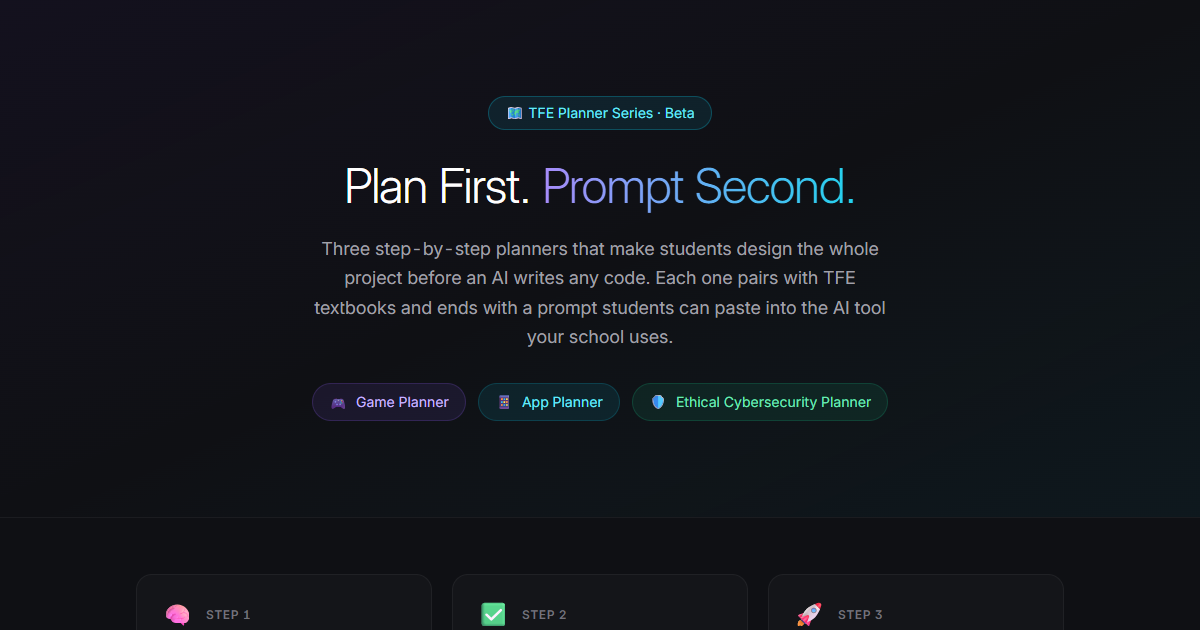
Today I’m excited to introduce the TFE Planner Series, three step-by-step planners that make students design the whole project before an AI writes any code. They’re in beta and free to try at techforeveryone.app/planners.
TL;DR
- TFE App Planner (grades 6–12) walks student teams through brainstorming, wireframes, peer review, an AI build prompt, and testing, with teacher review and grades at every stage.
- TFE Game Planner (grades 3–12) makes students think through story, controls, sprites, levels, and music, then pass a Design Check before the AI prompt unlocks.
- TFE Ethical Cybersecurity Planner (grades 9–12) teaches the five phases of a defensive security evaluation using a fictional school and simulated data only.
- All three focus on fundamentals over technical depth, use today’s AI tools for the heavy lifting, and help students learn to prompt their ideas well.
- They’re in beta and free to try. I’d love your feedback.
Where the App Planner Came From
I ran an app development seminar with a local high school. Every semester, I worked with two-teacher teams to teach students how to build apps.
The students loved it. But behind the scenes, things were always all over the place.
We used Google Forms for ideas, Figma or Penpot for designs, and whatever free wireframing tools we could find for screens. Every piece of a student’s project lived somewhere different. That made it hard for me to give students meaningful feedback, and even harder to hand the classroom teacher grades they could actually use.
There were two other problems I couldn’t solve with a stack of free tools.
First, students wanted more. They were excited to build a full app, which was well outside the scope of the class. They’d done the thinking and the designing, and then the seminar ended right where the fun was supposed to begin.
Second, the whole seminar depended on my technical expertise. If I was unavailable for a semester, students simply couldn’t take part.
That’s where the TFE App Planner came from.
Teachers create a class for each section and group students into project teams. Every team moves through five stages:
- Brainstorm. Pitch app ideas: the problem, the audience, the features.
- Wireframes. Sketch every screen on a shared, real-time canvas.
- Peer Review. Review other teams’ plans against a rubric, then respond to the feedback you received.
- Build Prompt. Turn the approved idea, screens, and feedback into a ready-to-paste prompt for an AI coding tool.
- Testing. Build the app with that prompt, then write and run a real test plan.
At every stage the teacher can approve, request a revision, or comment, and grade the work with feedback. The gradebook exports to CSV. Everything lives in one place, and the classroom teacher doesn’t need to be an app developer to run it. And because students finish with a prompt they can hand to an AI, building a full app is finally within reach of a single class.
Where the Game Planner Came From
Outside the seminar, I’ve led weekend and summer programs with students who are really into game development.
If you’ve taught kids who love games, you already know what happened next. They only wanted to talk about the highlights: the boss fight, the cool power-up, the epic ending. Getting them to think through the other pieces (who the game is for, how the controls work, what the levels look like, what happens when you lose) was always a struggle.
The TFE Game Planner is my answer to that. Students move through eight stages: Brainstorm, Story, Controls, Sprites, Levels, Music, Design Check, and Prompt. They draw their own pixel-art sprites, paint their levels on a tile map, and compose music on a step sequencer.
The key piece is the Design Check. Before students get their AI prompt, they have to explain their game: the audience, the core game loop, what makes it fun. The prompt stays locked until they do. The AI types the code; the student is the designer.
Every stage also links to the matching chapter of our Game Development textbooks. Students can use it as guests, with no student accounts needed.
Where the Ethical Cybersecurity Planner Came From
This one came from you. Teachers across the Tech for Everyone platform kept asking for ethical hacking resources.
I have a master’s degree in cybersecurity, and I take that request seriously, because there’s a fine line between teaching ethical hacking and giving students too many ideas that cross over into black-hat hacking. There are a lot of other free platforms out there, but I think many of them dive students in a little too fast and take them away from the fundamentals.
The TFE Ethical Cybersecurity Planner aims to be a middle ground.
Students work through the five phases of a security evaluation: reconnaissance, scanning and enumeration, vulnerability assessment, risk mitigation and access control, and documentation and reporting. But they do it on a fictional school, using simulated data only. There are no real systems, no exploits, and no attack scripts.
Before students can begin, they have to acknowledge an ethics and scope agreement: authorization, scope, and legality come first. At the end, the planner turns their notes into a prompt for a formal audit report. It’s built to teach students to think like a defender.
What Ties All Three Together
Across all three planners, I wanted to emphasize one idea: the fundamentals.
These planners intentionally don’t focus on the most technical parts of each domain. Students won’t spend the class fighting syntax errors or configuring tools. Instead, they practice the thinking that makes a project good in the first place: who it’s for, how it works, how it’s tested, and what could go wrong.
At the same time, I didn’t want to ignore what’s happening right now. AI tools have made building things dramatically easier, and students are going to use them. So each planner ends with a ready-to-paste prompt students can bring to the AI tool your school uses.
That’s the last goal, and maybe the most important one. I’m hoping the Planner Series teaches students how to properly prompt their ideas as they move forward. A vague prompt gets a vague result. A student who has planned their audience, their screens, their rules, and their risks writes a much better prompt, and understands what the AI builds for them.
Plan first. Prompt second.
Try the Beta
All three planners are in beta and free to try:
- 🎮 TFE Game Planner (grades 3–12)
- 📱 TFE App Planner (grades 6–12)
- 🛡️ TFE Ethical Cybersecurity Planner (grades 9–12)
You can see all three side by side at techforeveryone.app/planners.
If you try one in your classroom, I want to hear about it: what worked, what didn’t, and what your students did with it. Send us your feedback. It will directly shape where the Planner Series goes next.
Questions or ideas for the TFE team?